A Patient Students Interview by Voice
Students question a virtual patient in a spoken conversation, as they would at the bedside.
Sentinel U turned its design for a nursing simulation series into a virtual patient that students interview, examine, and document, one body system at a time.
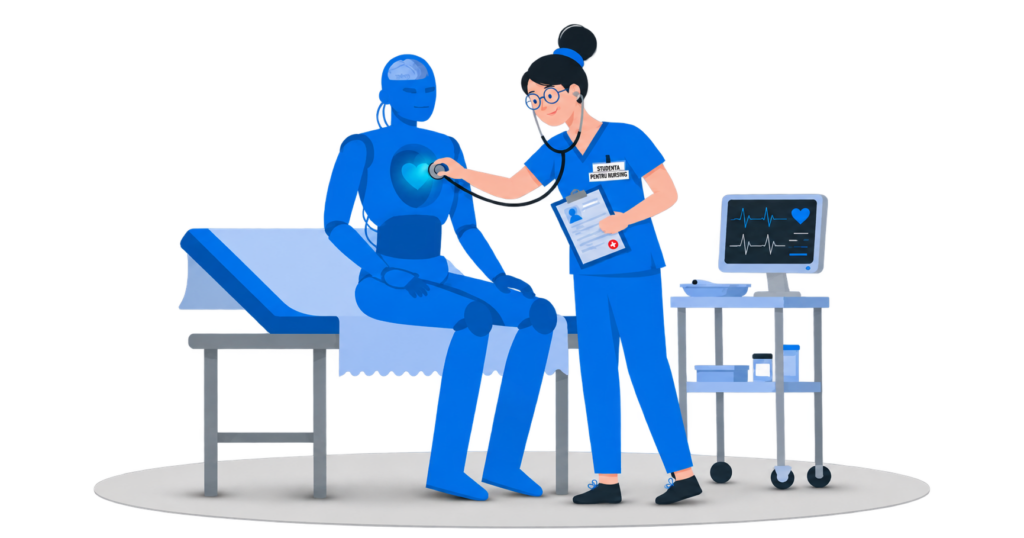
Students question a virtual patient in a spoken conversation, as they would at the bedside.
Inspection, listening, palpation, and percussion, then the handoff note, all on one virtual patient.
Each case is written by Sentinel U’s own nurses in the authoring tool they already use.
CLIENT
Sentinel U is a US provider of virtual simulations for nursing education, based in Denver, Colorado. It is a division of American Sentinel College of Nursing & Health Sciences at Post University. Its own teams, many of them nurses, design the simulations and their content.
STARTING POINT
Nursing schools were asking Sentinel U for a product that teaches students to assess a patient step by step. Sentinel U designed that product as a new simulation series and came to us to build it. Every screen was already drawn. Its nurses were set to write the patient cases in the authoring system they use every day, a system DLabs.AI knew from earlier work together. What Sentinel U did not have was the software: a virtual patient who answers questions, reacts to the exam, and returns scores faculty can trust.
CLIENT’S NEEDS
Sentinel U’s product team set three requirements for the new series:
CHALLENGES
Sentinel U’s sales team needed a working product to demo to nursing schools before the next selling season. Students join at the start of a semester, so a product that missed that date would have lost a whole semester.
Sentinel U’s nurses write dozens of patient cases for the series, and each case is corrected many times before it is final. If a developer had to step in for every case and every correction, the nurses would spend their time waiting instead of writing. Sentinel U needed its nurses to add and change cases on their own.
Sentinel U already ran three systems every day: an authoring tool with its content, a student login portal, and the AI service behind its products. The challenge was to make the new simulation work with all three without anything breaking along the way. One broken link, a case that would not load or a student who could not log in, would have stopped the demo.
SOLUTIONS
Together with Sentinel U’s product, content, and engineering teams, we built the series as web applications where students assess a virtual patient step by step.
A case follows the order nurses work in at the bedside:
We connected the simulation to Sentinel U’s authoring system, so every case comes from one template per module. A change to the template reaches every module at once. Nurses add the photos, videos, sounds, questions, and exam spots for each case there, with no developer in between.
We built the simulation inside Sentinel U’s own development setup, with its engineers checking how each piece fits the platform they already run. Sentinel U’s own team puts every release live, so the product stays in its hands.
RESULTS
About six months after kickoff, the first product in the series was in production and open to Sentinel U’s sales team. It arrived on the date Sentinel U had set at kickoff, in time for the selling season.
Because the simulation reads everything from the template, Sentinel U’s nurses could build every case now in production on their own. During the build and after go-live, the content team added and corrected cases without waiting on developers. The risk from the start of the project, content stuck behind engineering, never materialized.
WHAT’S NEXT
The simulation runs in production today, and Sentinel U’s sales team already works with it. The first students are expected at the start of the next semester. We continue to expand it with Sentinel U, adding richer feedback for students and reporting for faculty. Further products in the series will follow.
TECHNOLOGIES USED
AI SOLUTIONS WE’RE PROUD OF